Saturday, October 30, 2010

HTC Desire HD -Riding the Intertoobs

Riding the Intertoobs

If you're a Web addict for whom being offline is worse than being unconscious, the Desire HD is the best smart phone available. The enormoscreen has the real estate to display the finickiest webpage, although we do fantasise about how good it would be if it had the iPhone 4's stunning resolution. The latest 802.11n standard of Wi-Fi is on board, as well as 14.4Mbps HSDPA for epic download speeds over 3G.

The software is also up to the challenge, with a great Web browser that displays pages quickly and accurately. Perhaps best of all, the Desire HD supports Flash Player 10, so every page is served up in perfect condition, without missing pieces. There's been much talk about how Flash will kill your battery and crash your phone, but in our tests it was worth it to be able to see everything from page navigation to BBC iPlayer, just as their creators intended.

We did stumble on one page that reliably crashed the browser, but we blame its JavaScript, rather than Flash -- or maybe the Desire HD just hates Uk health policy research. Overall, we found browsing worked very well, whether we were playing Flash games or watching Vimeo videos in the full version of the site.

Sure, all this power sucks a full battery charge like a camel stocking up for a long walk -- especially with the widgets pulling down data by the bucketload all the time. With heavy use, surfing the Web and watching loads of videos, a fully charged battery didn't last us a day. But there is a power-saver mode, which prompts you to ease off when the battery drops below 15 per cent.

It's another example of how the Desire HD is a portable computer powerhouse rather than just a phone. We had no trouble, however, making or receiving phone calls reliably in our tests. Such a vast phone isn't the most comfortable to hold against your face, and we thought the speaker could be a smidge louder. But if you tend to spend more time updating your status than chatting old-school, the Desire HD does the job.


HTC Desire HD -Do the robot dance

Do the robot dance

Sense or non-Sense, Android gets better wth each new version. It's especially useful if you use Google's services, such as Gmail and Google Maps, because Android is Google's own mobile OS, so you get plenty of Android-only perks. Google Maps supports layers, for example, so you can show your Google My Maps or traffic on the map.

Google also fires out new apps into the Android Market regularly -- Listen, for downloading podcast, and Sky Maps, for star gazing, are a couple of our favourites.

HTC has also scoped out some of the best apps for its HTC Likes app, which is a browsable subset of the Market. We've poo-pooed efforts like this in the past -- after all, why bother visiting the HTC app store when you could just hit the Market and see everything in one place? But finding the best apps on the Android Market can sometimes be like finding a needle in a haystack, since it's more open than the iPhone App Store and there's not the same quality control. You can always check out our list of the best android apps but we approve of HTC's choices too, and they're all free.


HTC Desire HD -It all makes Sense

It all makes Sense

The magnified cursor is just one example of the many good additions HTC makes to Android with its Sense skin. Most manufacturers struggle to improve Android, and end up just slapping on a jumble of features that often fail to impress. HTC's efforts are much better thought-out than most.

Sense makes the Desire HD look and feel more polished, and it includes a bunch of widgets that do a good job of displaying live data on the seven home screens. The clock and weather widget is so good looking that the Android Market is full of imitations that can be installed on non-HTC phones. The calendar widget is another favourite -- it does a great job of stylishly displaying upcoming appointments from multiple calendars.

The social-network integration on the Desire HD is excellent. The address book pulls in profile photos and updates from your contact's Facebook and Twitter accounts, and in our tests it linked our mates to their profiles without any problems. If you get a call from someone in your address book, the screen flashes up their photo and their latest status update, too.

The gallery also grabs your photos from Facebook and Flickr, although we wish it worked with Google's photo service, Picasa, too. OurGoogle nexus one, which runs unadulerated Android, has that service built in, so we don't know why it's missing on the Desire HD.

Sense has expanded since we saw it on the Desire, including several themes that wrap the display in simulated wood or other colours. It's also launched a cloud-based service that can track your phone's GPS on a map, make it ring at max volume to find it under the sofa cushions, or wipe it remotely. In our tests, it took a few seconds for the service to find our phone, but everything worked a treat eventually.

It would take all the virtual paper on the Internet to describe all of Android's features, and HTC adds even more. For example, when the phone rings, and you pick it up, the ring quietens a little until you answer it -- handy if you're holding it up to check who's calling but don't want to deafen yourself. If you're in a call and you put the phone face-down on a table, it automatically switches to speaker phone. And most importantly, all these features are easy to set up and turn off, if you don't want them.

The weath of features on the Desire HD could be overwhelming, if you prefer the simple life. After all, it's more straightforward to just turn on speaker phone with a button on the screen when you want it. Although the user interface does a good job of presenting the options in an intuitive way, having so many choices inevitably leads to some long menus. The iPhone, and even the new Windows Phone 7 phone , do a better job at controlling information overload by not throwing in every feature under the sun. But if you like having everything but the kitchen sink at your command, the Desire HD will not disappoint you. It's still much more fun and pleasurable to use than many of its competiors, such as the Nokia N8.

The downside of Sense is that it seems to delay getting Android updates from Google. The Desire HD runs the most recent version at the time of writing, Android 2.2 Froyo, but there are certain to be new versions along soon. Since each update adds features and fixes bugs, it can bePAinfull to wait while HTC polishes it with Sense before rolling it out to phones. If you're on a network contract It takes even longer as the phone company adds its own bits and bobs.


Read more: http://reviews.cnet.co.uk/mobile-phones/htc-desire-hd-review-50000752/#ixzz13qV6r0Ij

HTC Desire HD -Growing desire

Growing desire

The most obvious difference between the Desire HD and its little brother theHTC desire is the screen. It's been ramped up from a healthy 3.7 inches to a monstrous 4.3 inches. It has the same WVGA resolution, 480x800 pixels, but the larger screen doesn't look blurry or low-res. It doesn't have the eye-burning saturation of the Smsung GALAXY S, or the pin-sharp resolution of the i Phone 4 but it still looks very good indeed.

The touchscreen is also fast and responsive. If we had to nitpick, we'd say that it isn't quite as buttery smooth as the iPhone or theHTC hd 4. Since the Desire HD's hardware and processor are almost identical to the HD7's, we're tempted to blame Android for the fact that sometimes scrolling and swiping are fractionally more juddery than the best of the competition. Nevertheless, it's still very smooth and easy to use.


The machined aluminium case feels wonderfully solid. We'd still rather not drop it on concrete, but it feels more likely to survive than most large smart phones, especially since the aluminium case wraps around the edge of the screen. But the trade-off is weight -- combined with the huge screen, the Desire HD weighs in at 164g.

Inevitably, the Desire HD feels massive in your hand. You could still pop it in a pocket, but you couldn't sit down comfortably. Whether such an enormous screen is worth the weight is up to you -- we love it, but we like our smart phones bodaciously big-boned. If you want something smaller, the HTC LEGEND may be more your size.

Despite its vast surface area, HTC has made a few surgical snips to the Desire HD compared to the original Desire. Gone are the optical trackpad and the four physical buttons along the bottom of the screen, replaced with the touch-sensitive kind. We prefer the physical buttons, but in our tests, the touch-sensitive ones on the Desire HD worked very well.

The missing trackpad could be more of a problem, since Android doesn't have an easy way to move the cursor around tiny text, which is a pain on the Samsung galaxy s. But HTC has sorted it by taking a leaf from the i Phone s UI manual. Hold down your finger on the text and you'll see a magnified area that helps you place the cursor exactly where you want it. The copy and paste function is similarly well done.


HTC Desire HD review-Basic info

HTC Desire HD review


  • Massive, bright screen
  • Aluminium case
  • Good Facebook integration
  • Fast Web browser with Flash
  • HTC Sense user interface makes Android better-looking and adds handy features

  • If you're looking for the ultimate smart phone, you just found it. The HTC Desire HD is a big beast for the average user, but if you value power over portability, you won't be disappointed. The best Web browser in the business and a screen that pushes tablet territory means the Desire HD is more than smart -- it's genius.


    LG Chocolate BL40-Conclusion

    Conclusion
    Using the LG Chocolate BL40 is like watching your favourite football team play beautifully, but then lose the match by hitting too many shots wide. Despite packing a stunning widescreen display and an abundance of features into a gloriously slim and sexy frame, LG has dropped the ball when it comes to the user interface. The S-Class menu system is annoying and unresponsive at times, and generally feels over-engineered and too complicated. Consequently, despite offering way more features than the iPhone or HTC Hero, this handset just isn't as satisfying to use as either of those two models.

    LG Chocolate BL40-Classy camera

    Classy camera
    The camera is a cut above those found on the likes of the iPhone. It's got a 5-megapixel resolution, autofocus and an LED flash. Shots taken in good light look pretty impressive by smart-phone standards, and there's a very cool panoramic mode in which the phone tells you where to point the lens for each shot in the panorama before automatically stitching the pictures together. The camera can also shoot video (30 frames per second at VGA resolution), and there's a neat little video editor on-board that you can use to knock your clips into shape. The LED flash isn't really strong enough to overcome the camera's poor low-light performance, though, so night shots tend to suffer pretty badly from digital noise.

    Call quality was excellent during our test period and battery life was pretty much par for the course with a smart phone of this ilk, with the handset offering 6 hours of talk time. This means you can expect to have to charge it after about a day and a half's worth of normal usage.


    LG Chocolate BL40-Lacklustre user interface

    Lacklustre user interface
    As with LG's other touchscreen mobiles, the Chocolate runs the company's S-Class user interface. It's bright and colourful, with well-designed icons and some slick animations, including a funky rotating 3D cube that you can use to swap between different menu screens. But it can also be rather confusing to use because it gives you too many ways of accomplishing the same task. For example, applications can be accessed either via a shortcut menu, a grid display with icons divided into carousel menus based on their function, or in a landscape view that shows all icons on a single screen. After a while, we found ourselves craving the iPhone's simpler homescreen.

    Despite LG having switched from the AMD chip it used in the Arena to a faster Qualcomm processor, the Chocolate still feels slightly sluggish, and can be slow to respond to screen taps. Also, we aren't all that keen on either of the text-entry options. In portrait mode, you're presented with a standard mobile-phone keypad with multiple letters per key. In landscape mode, the full Qwerty keyboard layout is rather cramped, so we often ended up hitting the wrong key. Matters are made worse by the fact that the predictive text system isn't as good as that of the iPhone or Hero. Suggestions don't seem as accurate or varied. The phone's also missing a few tricks, like that of double tapping the spacebar on the iPhone to enter a full stop and space at the end of a sentence.

    In other areas, LG has made some welcome improvements to the S-Class experience. As well as supporting multi-touch zooming in the Web browser and picture viewer, you can now also double tap on an picture or column of text in the impressive Web browser to automatically zoom in on it. The Cover Flow-style mode in the photo and video browser has also been improved, giving you a clearer view of the thumbnails you're browsing through. Thanks to the new processor, there's no longer a delay between loading a picture and being able to zoom in on it, as there is on the Arena. There'll also be an iPhone-style, one-touch cut-and-paste system, although this wasn't functional on the early version of the phone that we had in for review.


    LG Chocolate BL40-Stunning screen

    Stunning screen
    This handset's key feature is its fantastic 102mm (4-inch) capacitive touchscreen. Like the phone itself, the display is tall and narrow. In fact, it's got a 21:9 aspect ratio, so it can show a full cinematic image without having to crop the edges, as the iPhone or HTC hero do. When working in landscape mode, this means the screen is considerably wider than it is tall. That turns out to be both a blessing and curse.

    It's a blessing for a number of reasons. Firstly, the extra width means you can view movies in their natural 21:9 aspect ratio, with the result that they look absolutely brilliant, especially as the display is very bright and has a reasonably high resolution of 800x345 pixels. The extra width has also allowed LG to introduce a neat split-screen view in the messaging applications: contacts are listed on the left-hand side, with messages appearing on the right, just like with standard PC applications. It also means Web pages fit across the screen without you having to scroll back and forth, as you must with pretty much every other smart phone around.

    The downsides are that, as the display is also very narrow, when you do view Web pages in landscape mode, the rendered text is very small and quite difficult to read. Consequently, you usually find yourself having to zoom in to increase the text size to a more acceptable level. This defeats the purpose of having the wider screen, as, once you zoom in, you then have to scroll back and forth, just as you do on other devices. Also, when you call up the landscape keyboard in the browser, email or SMS applications, it practically fills the entire screen, leaving just a couple of lines of text at the top. We can't help but feel that LG would have been better off making the screen slightly taller in landscape mode, even if this would have meant using a non-21:9 aspect ratio.


    LG Chocolate BL40-BASIC info

    LG Chocolate BL40

  • Tall and slim design
  • Ultra-wide display
  • Multi-touch support
  • Great range of features


  • The LG Chocolate BL40 is unlike any other touchscreen Phone we've come across. Its stunning, ultra-wide display has a true cinematic 21:9 aspect ratio and gives the handset a very distinct tall-and-thin profile. Available in October for free on a £35-per-month contract with Orange or Carphone Warehouse, or for £500 SIM-free, the Chocolate is quite pricey. Besides the impressive screen, though, it's bursting with other cool features, including a 5-megapixel camera, FM transmitter and DivX support.


    SONY ERICSSON C905-Features

    Features
    Camera is king on the C905 and from the moment we picked it up we wanted to take pictures with it. The camera interface is easy to understand and you can adjust several settings, such as the flash, white balance and focus, among others, with just a few clicks.

    There aren't as many gimmicks as you'll find on phones like the LG Ranoir or Samsung Pixon but you do get a competent camera experience which is emphasised by the good picture quality, even in low light.

    The auto-focus is fast and the xenon flash provides a level of illumination unmatched by LED photo lights. When viewing pics a built-in accelerometer allows you to flip the phone sideways and the photo automatically changes from portrait to landscape.

    An additional feature not available on previous Cyber-shot phones is the ability to geo-tag pictures using the built-in GPS. Web services such as Flickr will automatically use the data so that you can plot your pics on a map.

    Our only minor issue with the camera is that you have to view a pic in the gallery, instead of in the camera mode, in order to send it via Bluetooth. We also think that it takes quite a while for pics to be saved on to the C905.


    Wi-Fi and HSDPA make transferring pictures to the Web or sending them via email fast. You can browse the Web pretty snappily using the C905's browser or by downloading Opera Mini, which we prefer for full-page browsing.

    SONY ERICSSON C905-Conclusion

    Conclusion
    The Sony Ericsson C905 is one of the best camera phones we have ever used. Similar to the Nokia N82 it manages to take high quality photos and offer a plethora of other features as well. In this case, the camera phone is as good as a camera, which we find impressive considering most are nowhere close. One of its best traits, for instance, is its ability to handle low light so well, which many camera phones don't do. It's not a small phone but it will deliver, so we highly recommend it.

    SONY ERICSSON C905-Performance

    Performance

    Audio quality during calls was loud and clear, as was the loudspeaker. Stereo Bluetooth is available if you need to listen to music wirelessly and it works as expected. Unlike certain modern phones that come with tonnes of on-board memory, the C905 only has 160MB on-board, but you can upgrade via a Memory Stick Micro slot that can hold up to 8GB.

    Battery life is quoted at 9 hours of talk time using GSM and 380 hours of standby time. On 3G it's 4 hours of talk time and 360 hours on standby. We found it lasted for over a day with moderate use but using of the flash, HSDPA and Wi-Fi drained the battery faster.


    SONY ERICSSON C905-Design

    Design
    Some manufacturers want to make their camera phones look more like phones than cameras, but Sony Ericsson has taken the complete opposite route, making the C905 look like a full-on stand-alone snapper.People will probably scoff that the C905 is too large, as we did at first. But after using it for a while you start to realise that its size makes it easier to use when taking photos -- you can actually hold it properly, just as you would with a regular camera.

    It's not Sony Ericsson's slickest looking phone but it is very functional. The keypad is well laid out and easy to use, as are all the other buttons, including for the shutter. There's also a proper lens cover that won't open and close in your pocket, which was a big problem with its predecessor,The K800i.


    SONY ERICSSON C905-Basic


    MAIN FEATURES


  • 8-megapixel camera
  • Xenon flash
  • Wi-Fi
  • HSDPA

  • Sony Ericsson is renowned for producing some of the best camera phones on the market, so we expected good things from the C905. Pitched as a camera replacement rather than just camera phone, this phone has a lot to live up to.


    Friday, October 29, 2010

    NOKIA N97 FULL REVIEW-2


    AUDIO

    - Nokia Music Store support
    - Nokia Music Manager
    - Nokia Podcasting support
    - Ring tones: 3D stereo ring tones, 64-tone
    - Integrated stereo with dedicated audio chip with surround sound with crystal clear hi-fi sound quality (SAME sound Quality of Nokia 5800 XM BUT in 5800 XM the Audio chip is improved for playing High-Quality tracks Better)
    - Support synchronization with Windows Media Player 11 and higher.
    - N97 Have 6 (pre-installed Equalizers) and every one of them features 8 bands with fully user-manageable.And Don’t Forget the (3D Stereo speakers) that gives you a high & smooth surround sound.
    - Audio Codecs support (MP3/ WMA/ WAV/ AAC/ AAC+/ eAAC /eAAC+/ MIDI/ AMR/ M4A/ M3U)

    Hard disk

    - Type: Internal,Flash memory
    - 32GB (Non-Expandable)
    - Total memory available for the user is 29.9GB
    - High speed (Read & Write)

    Card slot & Memory:

    - MicroSD (TransFlash), up to 16GB
    - Hot-swap MicroSD door (under the camera)
    - Total Max.memory = 32 + 16 = 48GB

    USB Speed TEST:

    -MUSIC, SONG
    Size: 5.0MB
    >Transfer time: Approximately 2 seconds
    -MUSIC, ALBUM
    Size: 84MB
    >Transfer time: Approximately 23 seconds
    -VIDEO, LARGE
    Size: 350MB
    >Transfer time: Approximately 1 minute 33 seconds
    -VIDEO, EXTRA LARGE
    Size: 1.7GB
    >Transfer time: Approximately 8 minutes 37 seconds


    NOKIA N97 FULL REVIEW -1

    OPERATING TIME


    Talk time:Up to 320 min (3G), 400 min (GSM)
    Standby time:Up to 400 hrs (3G), 430 hrs (GSM)
    Video playback:Up to 4,5 hours (offline mode)
    Music playback:Up to 37 hours (offline mode)

    DISPLAY

    - TFT touch screen, (16,777,216) color, 24 bit colors depth
    - 360 x 640 pixels, 3.5 inches, (16:9) widescreen
    - Proximity sensor for Auto turn-off
    - Accelerometer sensor for Auto-rotate
    - Full QWERTY keyboard
    - Handwriting recognition
    - Screen touch resistance

    CAMERA

    - pictures: 5 MP, (2584×1938) pixels, Carl Zeiss optics, Autofocus, camera protector
    - videos: (640×480) High Quality TV videos
    - flash: Dual LED
    - secondary (VGA) videocall camera


    Video and TV

    - Watch high-quality video on the large 3.5 inch 16:9 widescreen
    - Video playback at 30 fps, for a wide array of formats
    - Play videos, music and pictures on TV using TV-out
    - Access internet video feeds through Nokia Video Center
    - Video recording resolution (640 x 480) @ 30 Fps at (TV quality mode)


    Video playback

    - MPEG-4 / SP and MPEG-4 AVC/H.264,up to 30 fps, up to VGA resolution and
    Real Video up to QCIF @ 30 fps Windows Media (WMV9) up to CIF @ 30 fps Flash
    Lite 3.0 / Flash Video in internet browser.
    - TV-out function make you abale to watch all your movies that you have been took or
    stored in your N97 in very High Quality and Resolution.
    - Video Codecs support (Mpeg4/ H.263/ H.264/ 3gp/ WMV/ RM(Real Player)/ RAM(Real Player)/ Flv)


    Thursday, October 28, 2010

    Nokia 5800 full review -5

    Sensors

    After touch, the second headline addition for S60 5th Edition was the introduction of the sensor framework. This provides a standard way for the platform and applications to query and interact with sensors that are available in the device. Accelerometer powered functionality has been seen in earlier devices, but the framework for this varied from device to device - it's now been standardised at the platform level. The 5800 doesn't break any new ground in one sense: automatic screen rotation, flip to silence for incoming calls and alarms, but it is good to see all of this available out of the box. There is now a dedicated 'sensor settings' module in the phones' Settings application which can be used to activate or deactivate each action. Much of the potential is in how third parties might take advantage of the functionality. Now that it is standardised, developers are more likely to use it. For example, in Global Racer, a driving game bundled with the phone, you steer by tilting the phone from side to side. Again it's nothing ground breaking, but it's the starting point for a whole new set of ways of interacting with S60 devices


    Nokia 5800 full review -3nd of 4

    I do think there is room for further touch optimisations. For example, many S60 applications use tabs to switch between screens (e.g. in the Contacts application you can switch between the main list and the groups list), but the tabs only take up about half the available screen space, it would be better if they used all the space, thus giving you a bigger target to hit with your finger. Similarly there are multiple instances, in landscape mode, when only two of the five buttons of the toolbar are used; in some places this is for sake of simplicity, but for others it is a wasted opportunity. There are also instances where the implementation is sub-optimal using finger touch, the best example of this is the scroll bar in landscape mode (it is too easy to inadvertently select something to right or left by mistake).

    There are four distinct methods of entering text on the 5800 (and five, if you include Bluetooth keyboards): on screen, virtual alphanumeric keypad with T9 or multi-tap (portrait), mini-QWERTY keyboard (portrait and landscape), full screen QWERTY (landscape) and handwriting recognition (portrait or landscape). Both the alphanumeric keypad and the full QWERTY keyboard take up the whole screen, when you touch a text entry area they'll occupy the whole screen. By contrast, handwriting recognition and mini-QWERTY appear in a 'window' floating above the active screen. You can switch between the different methods via a pop-up menu (the button with a keyboard icon).

    The great benefit of the alphanumeric keypad is that it can be used one handed as you would with a physical keypad. It also works particularly well with finger touch as the on screen keys are larger. It is a complete implementation, letting you use multi-tap or predictive text (T9). Indeed the touch screen allows for some extras, including showing capitalisation, a selectable list of matching words in T9 (usually selected using the star key) and the ability to change cursor position by touch.

    The full QWERTY keyboard really needs two hands to be used effectively. I found I achieved about the same speed as with the alphanumeric keypad, but that's probably because I'm more used to using such keypads. There is no automatic text correction software, which is a shame, as mis-hits do inevitably occur; in the future, it would be good to see something similar to the Nokia E71's implementation here.

    The handwriting recognition method is necessarily stylus driven and uses a floating window which can be moved around the screen. No special symbols are required; you just need to write each character individually (either lower case or upper case works fine). Recognition occurs as you enter text, with each drawn letter remaining on screen for around half a second (enough time to cross a t or dot an i). Capitalisation occurs automatically or can be forced by an on screen button; while the recognition includes punctuation, less common characters are not as well catered for and are easy to enter via the on screen symbol/character button. Recognition was generally good and can be improved by training the recognition software in the phone's settings. You can also create your own 'character' shortcuts for regularly-used text strings.
    For text entry, I tended to use a mix of the alphanumeric keypad and full screen QWERTY, principally because these work best with finger touch. However, it is great to see that the user has a choice; some methods are more suited to certain markets than others, for example, handwriting recognition is likely to be popular in some Asian countries. On occasion, Nokia rightly receives criticism for having multiple ways of doing things in its UI, but in this instance it is exactly the right decision. While I suspect many users will settle on one method and forget the others are there, the critical point is that they have a choice.


    Nokia 5800 full review -2nd of 4

    S60's touch implementation is bound to be somewhat controversial because, rather than starting from a blank slate, its origins as a softkey driven UI are clearly evident. Whether you regard that as a benefit or not is open to debate; there are advantages: user familiarity and platform compatibility, and disadvantages: some legacy elements are not well-suited for touch. Furthermore, I do expect people to say that some things have not been done in the 'right way'; an example of this is the absence of finger flick scrolling in contacts (and other lists). In this particular instance, S60 provides adaptive search fields which are arguably more functional.

    I think the area that will stir most debate is the use of a focus driven UI. On the 5800, this applies particularly to lists (as used in Contacts, Settings and many other applications). In practice this means that double taps are required to carry out certain actions: the first to select the focus of an item on a list and the second to trigger the default function for the item in focus (for example, in contacts you first tap to select a contact, and then tap again to open the contact).

    This contrasts with other touch UIs, where a single tap is required (non-focus driven UI). The advantage of a focus driven UI is that it works across a greater range of devices (e.g. devices with a D-pad); the advantage of non-focus driven UIs is that they tend to be more intuitive for new users. Focus driven UIs tend to have more functions accessed from a menu ('Options' in the case of S60) rather than on screen and this, arguably, allows for richer functionality (but this is a complex area and much depends on the context).

    focus

    Nokia 5800 full review -4

    Touch

    The most visible addition to S60 5th Edition is touch, and it clearly has a huge impact in the way you interact with the device. It enables both finger touch and stylus touch and supports several device configurations: those with D-pads and keypads, those which are purely touch driven (e.g. the 5800) and those which mix elements of both.

    The Nokia 5800 can either be used two handed (stylus or finger touch) or one handed (with finger touch). In pure speed terms, two handed use will generally be quicker and a stylus is more accurate than a finger, but this is set against the convenience of one handed usage (finger). Having this flexibility is a real boon. After all, many short phone interactions (making a call, writing and sending a text message) are done while on the move or in parallel with another activity generally one-handed). Equally, there are times when you'll be able to use two hands and certain activities, mainly centred around multimedia creation and consumption, definitely benefit from this mode of usage.

    It is important to realise that S60 5th Edition really is the enabling of touch interaction for the existing S60 UI. If you look at screenshots side by side you see obvious commonalities; those that have used S60 devices before will find a marked feeling of familiarity as they use the new platform.

    For longer lists, scrolling can be cumbersome and, as with earlier versions of S60, such lists (e.g. contacts list) have an adaptive search box towards the bottom of screen. When you start inputting text, the list shrinks to show only those items that match the search term. When you touch the search box an on screen a-z keyboard is shown, but this keyboard is also adaptive, so as you enter a letter, the number of letters on screen is reduced to only show those that will result in a match. Given that such searches usually only need 2 or 3 letters, it is far more convenient than bringing up one of the text entry methods and means that, even for long lists, most entries are just a few taps away.


    Nokia 5800 full review -3

    Connectivity, Battery, Memory

    The 5800-1 is quad-band GSM and dual band WCDMA (900/2100MHz) with HSDPA. There will be a number of regional variants (5800-2 and 5800-3) with different WCDMA bands (850/1900) as well as a version for China without any WCDMA radio. All variants also have WiFi (802.11b/g), Bluetooth and USB for local connectivity. TV-out support is provided through the in-box cable which plugs into the 3.5mm audio port.

    In software, the 5800 uses the same 'Destinations' (grouped access points) as were first seen in S60 3.2 devices. This means the phone will automatically use the most appropriate access point (e.g. WiFi hotspots, once set up, can be used in preference to the standard cellular access point). Destinations are fully implemented in S60 5th Edition; more of the in-built applications take advantage of destinations and as a result the annoying 'choose access points' dialogs are much less common. It's still not perfect, for example, it can not hand over between access points, but it does address one of the main bug bears of S60 users.

    The device ships with a 1320 mAh battery and has a quoted talk time of 9 hours (WCDMA). In use, I found the device would comfortably last 2 days with typical usage, and even with heavy usage it should have no problem getting through a day. Web browsing, video playback, GPS navigation and other activities that involve leave the screen switched on and constant processor activity obviously drain the battery more quickly, but even with constant, non-stop use you should get between 3 and 5 hours, depending on what you're doing. For activities that leave the screen off, the figures are even more impressive, the 5800 is quoted as managing 35 hours of music playback and my tests would certainly support a figure fairly close to that. It is a testament to the skill of Nokia's hardware engineers and the power management capabilities of Symbian OS 9.4 that such figures are possible.

    Forum Nokia specifications reveal that the 5800 has an ARM 11 processor running at 369 MHz (presumably the Freescale model as used in other recent S60 devices). The processor speed is, as ever, fairly meaningless; the overall performance of the device is very good. The 5800 has around 80 MB of internal memory available to the end user, enough for a decent number of applications and important user data. There's an 8GB microSD card in the box, adding to the feeling of value for money, which gives a generous amount of room for maps, music, applications, videos and photos. In some markets, there will be music and videos preloaded on to the card and you can also expect to find Maps for your local country preloaded. The phone worked fine with a 16 GB card and should also be compatible with the forthcoming 32 GB cards. There's 128 MB of RAM on board, of which around 72 MB is free after switching on the device, which should be more than sufficient for even strenuous multi taskers.

    Nokia 5800 full review - 2n part of 2nd

    The overall design of the device, screen apart, is in line with typical mid range candy bar phones from Nokia. The materials are dominated by light plastics, chiefly black, but with a coloured highlight running around the sides of the phone. Build quality is good, with no rattles or unwelcome squeaks, and it should have good long term durability. It certainly gives the feeling of being able to stand up to quite a lot of abuse.

    The front of the device is dominated by the 3.2 inch resistive touch screen, which has a resolution of 360 x 640 pixels (Nokia refer to this as nHD). This is much higher than most previous S60 devices (QVGA: 240 x 320) and has a wider aspect ratio (16:9 compared to 4:3). Touchscreens typically use resistive or capacitive technology; capacitive touchscreens (as used on the iPhone) are generally regarded as more sensitive and work better in sunlight, but only work with finger touch, whereas resistive touchscreens can work with any object (finger, stylus, when wearing gloves etc.). The 5800's screen is set behind the resistive layer and is therefore well protected.

    5800 top

    The back of the device has a 3.2 megapixel autofocus camera with Carl Zeiss optics and an accompanying dual LED flash. The LED flash has the traditional 'concentric-circle' windows rather than the enhanced 'diamond-square' windows found in the N85. The back of the device, which is removable as one piece, is made of a rubbery-plastic material which gives better grip than the shiny plastics used elsewhere on the device; it contains the device's stylus which is accessed from the lower right hand corner.


    Nokia 5800 full review - 2

    General Design and Hardware

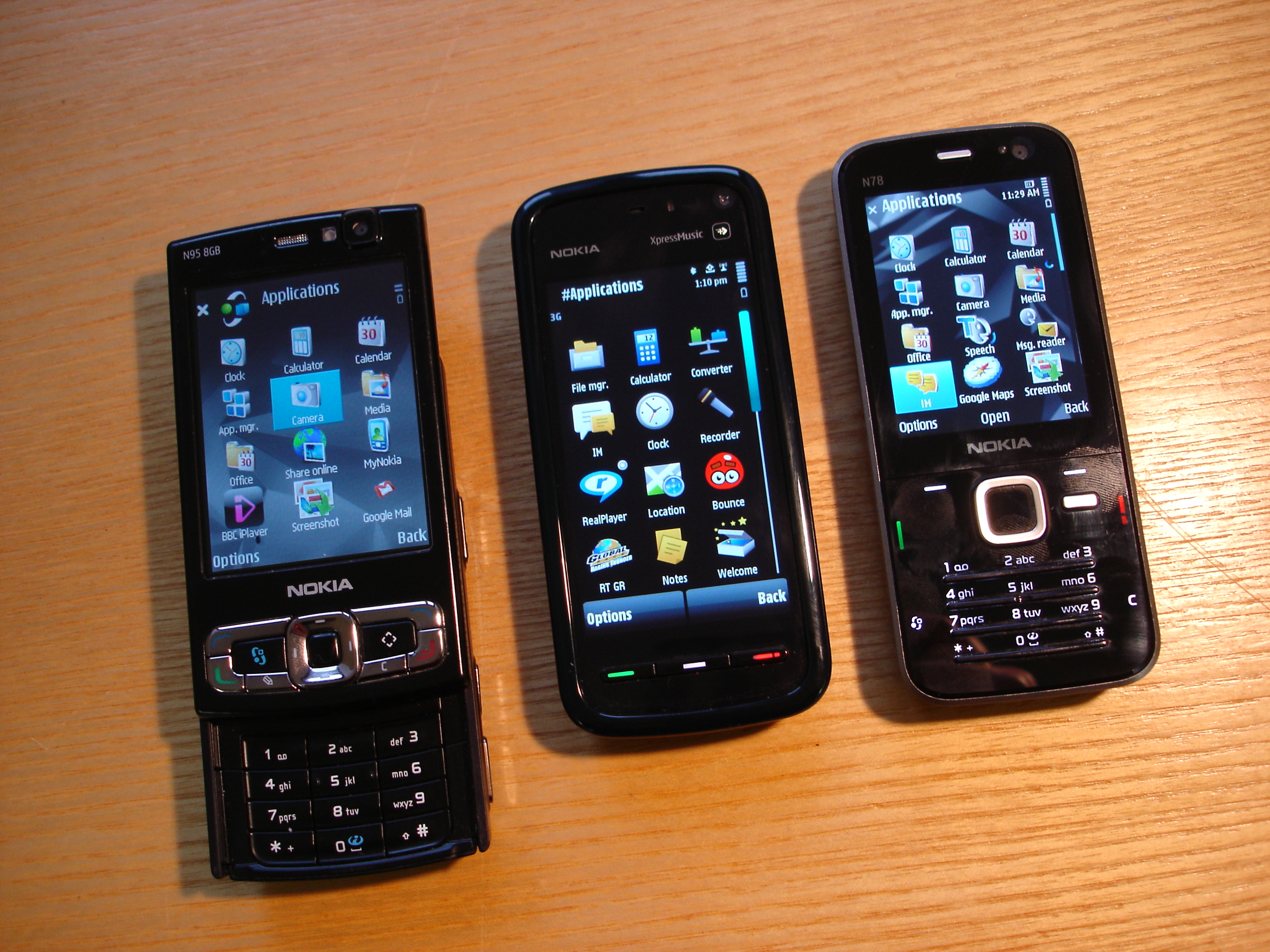
    The 5800, at 111 x 51.7 x 15.5 mm, is a reasonably small package. It is similar in size to the N78 (113 x 49 x 15.1 mm), but slightly heavier at 109g versus 102g. Volume wise, the 5800 is bigger at 83 cc compared to the N78 at 76.5 cc; it does feel bigger in the hand, mainly due to the greater taper on its edges. While the 5800 is significantly bigger than the typical mid-range phone and would do well to be thinner, it compares favourably to other smartphones and does not feel over sized.

    Thanks to its relatively narrow width it is, proportionally, closer to the traditional candy bar shape (long rectangle) than most touch screen based phones (short rectangle). If you think of your typical candybar smartphone, remove the keypad and lengthen the screen and you'll get pretty close to the feel of the 5800. The key advantage of this shape is that, for most people, it will be possible to use the device with just one hand; even those with smaller fingers should be able to reach all points on the screen.

    Comparing N95 8GB, 5800 and N78

    Nokia 5800 full review - 1

    Introduction of NOKIA 5800

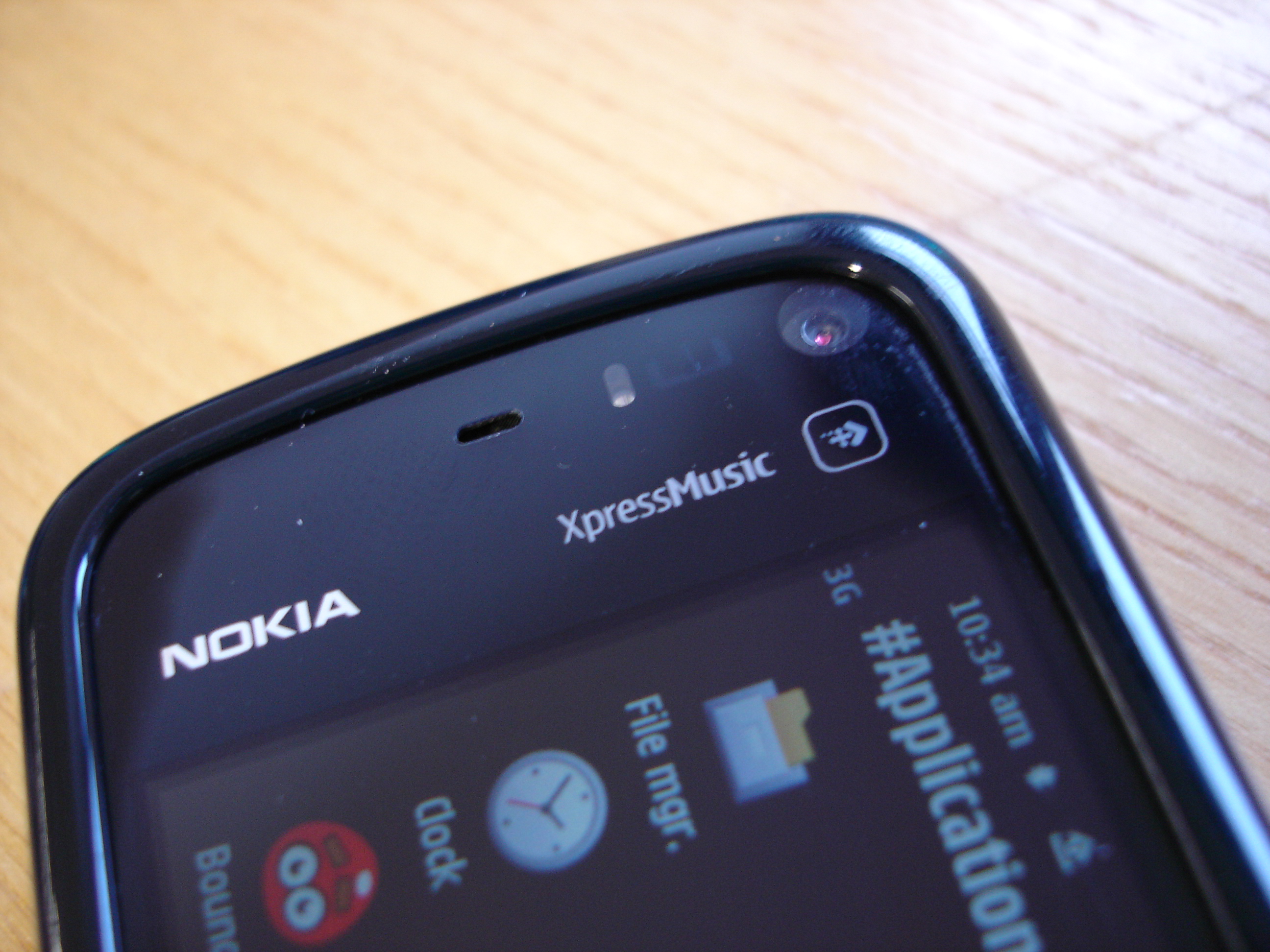
    Announced at Nokia's Remix event in London, at the beginning of October, the Nokia 5800 XpressMusic is a mid-range, music focused phone, running S60 5th Edition on Symbian OS 9.4, with a 3.2 megapixel camera, integrated GPS, WiFi and HSDPA connectivity, and a 3.2 inch touch screen. It's the last item on this feature list which draws attention to what would otherwise be a fairly standard mid range phone.

    For the Nokia 5800 XpressMusic is one of Nokia's most widely talked about (and leaked) phones of recent memory. There's no doubt that it is going to garner attention, coming in the wake of the recent spate of touch phones, including, of course, the Apple iPhone. While it's not Nokia's first touch phone (Nokia 7700/7110) or its first recent touch device (Nokia N810), it is the first S60 touch enabled phone and is a significant landmark in Nokia's mobile device story. However, it is worth noting from the start that it is not "Nokia's touch phone", instead it is the first in a portfolio of touch enabled phones from Nokia. This is an important distinction because, while the 5800 can tell us much about Nokia's touch platform generally, it can only be fairly assessed in the context of its own market positioning (music focused, cost of 279 Euro before taxes and subsidies).

    Tuesday, October 26, 2010

    Nokia N98-superb

    Phone Specifications:

    Network - HSDPA , GSM 850 / 900 / 1800 / 1900
    Screen Size - 356 x 416 pixels (3 inches)
    Colours - 32 million (or 16.7)
    Internal Memory - 8 Gigabyte
    Card Slot - Yes
    GPRS - Yes
    HSCSD - Yes
    EDGE - Yes
    3G - Yes (HSDPA)
    WLAN - Yes
    Bluetooth - Yes, Version 2.1 with A2DP Stereo
    3D Stereo Speakers
    Operating System - Mini Windows Vista Ultimate (or Symbian S70 3rd edition)
    GPS Navigator Built In with Voice
    TV Out/In
    3.5mm Audio Output Jack
    RDS FM/AM Stereo Digital Radio
    DVB-H TV broadcast receiver

    Camera Specifications:
    8 (or 7.2) Megapixel Camera with Carl Zeiss Lens
    Autofocus with Camera and Video Stabalisation
    40 x Digital Zoom (Camera) 20 x Digital Zoom (Video) 8 x Optical Zoom (Camera) 4 x Optical Zoom (Video)
    Xenon Flash (Camera) LED Light (Video)
    Video (1.3 Megapixel at 60fps)

    NOKIA N97

    Device Description

    The Nokia N97 is a S60 5th Edition mobile computer with a large 3,5“, bright nHD (640 x 360 pixels and 16:9 aspect ratio) TFT color display with resistive touch screen and tactile feedback. The device provides excellent user experience for internet and entertainment by combining qwerty keyboard with touch UI and Home screen functionality. Use the N97 to connect to mobile broadband using WLAN or HSDPA (3.5G). Find directions and locations with the integrated A-GPS and included maps. Additional features include game titles with N-Gage, a 5 mega pixel camera with dual LED flash and automatic geotagging of images and videos.

    Device variants:

    • RM-505 Global. WCDMA, HSDPA (Cat 6 max.3.6 Mbps) 900/1900/2100 and EGSM 850/900/1800/1900 + WLAN
    • RM-506 China. EGSM 850/900/1800/1900
    • RM-507 Americas. WCDMA, HSDPA (Cat 6 max.3.6 Mbps) 850/1900/2100 and EGSM 850/900/1800/1900 + WLAN

    Sony erricson satio


    General. 2G network
    GSM 850 / 900 / 1800 / 1900
    3G Network HSDPA 900 / 2100
    HSDPA 850 / 1900 / 2100 - Satio(a) for the Americas
    Announced 2009, February
    Status Available. Released 2009, October
    Size Dimensions 112 x 55 x 13 mm
    Weight 126 g
    Display Type TFT touchscreen, 16M colors
    Size 360 x 640 pixels, 3.5 inches
    - Accelerometer sensor for UI auto-rotate
    - Proximity sensor for auto turn-off
    Sound Alert types Vibration, MP3, AAC ringtones
    Speakerphone Yes
    Memory Phonebook Practically unlimited entries and fields, Photocall
    Call records Detailed, max 30 days
    Internal 128 MB storage; 256 MB RAM
    Card slot microSD, up to 32GB, 8GB included, buy memory
    Data GPRS Class 10 (4+1/3+2 slots), 32 - 48 kbps
    EDGE Class 10, 236.8 kbps
    3G HSDPA, 7.2 Mbps; HSUPA, 3.6 Mbps
    WLAN Wi-Fi 802.11 b/g, DLNA
    Bluetooth Yes, v2.0 with A2DP
    Infrared port No
    USB Yes, v2.0
    Camera Primary 12 MP, 4000 x 3000 pixels, autofocus, xenon flash, video LED flash
    Features Touch focus, geo-tagging, face and smile detection
    Video Yes, WVGA@30fps (via software update)
    Secondary VGA videocall camera
    Features OS Symbian OS v9.4, Series 60 rel. 5
    CPU ARM Cortex A8 600 MHz, PowerVR SGX graphics
    Messaging SMS (threaded view), MMS, Email, Push Email, IM
    Browser WAP 2.0/HTML, RSS reader
    Radio Stereo FM radio
    Games Yes + downloadable
    Colors Black, Silver, Bordeaux
    GPS Yes, with A-GPS support
    Java Yes, MIDP 2.0
    - Google Maps
    - Gesture control
    - MP4/H.264/H.263/WMV player MP3/WAV/WMA/eAAC+ player
    - TV-out
    - Office document viewer
    - Organizer
    - T9
    Battery Standard battery, Li-Po 1000 mAh
    Stand-by Up to 360 h (2G) / Up to 340 h (3G)
    Talk time Up to11 h (2G) / Up to 4 h 50 min (3G)
    Misc SAR EU 1.58 W/kg (head)